
How to delete your Rummikub user
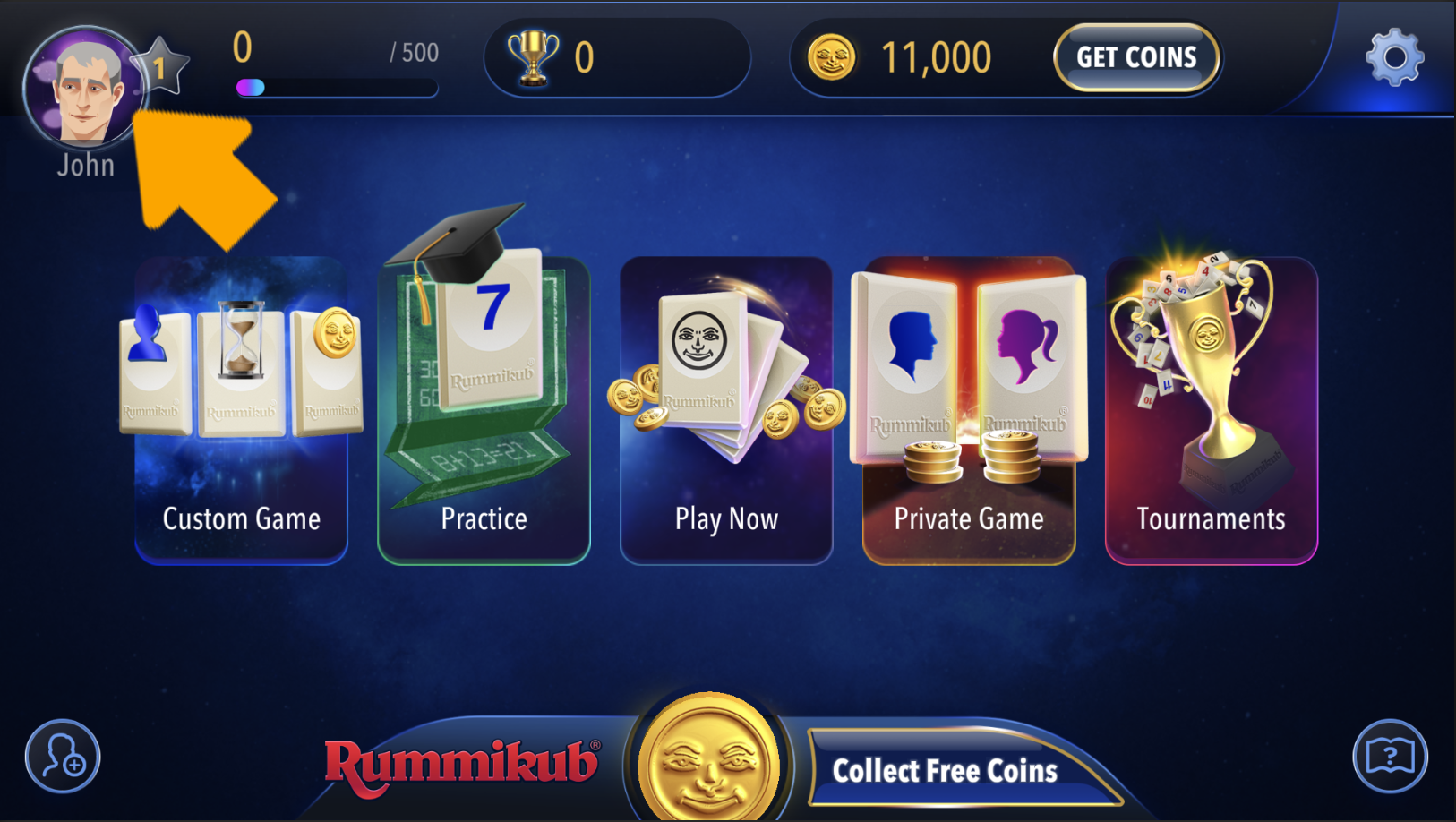
After opening the Rummikub app, press the player’s image in the top left of the screen to enter the Avatar screen
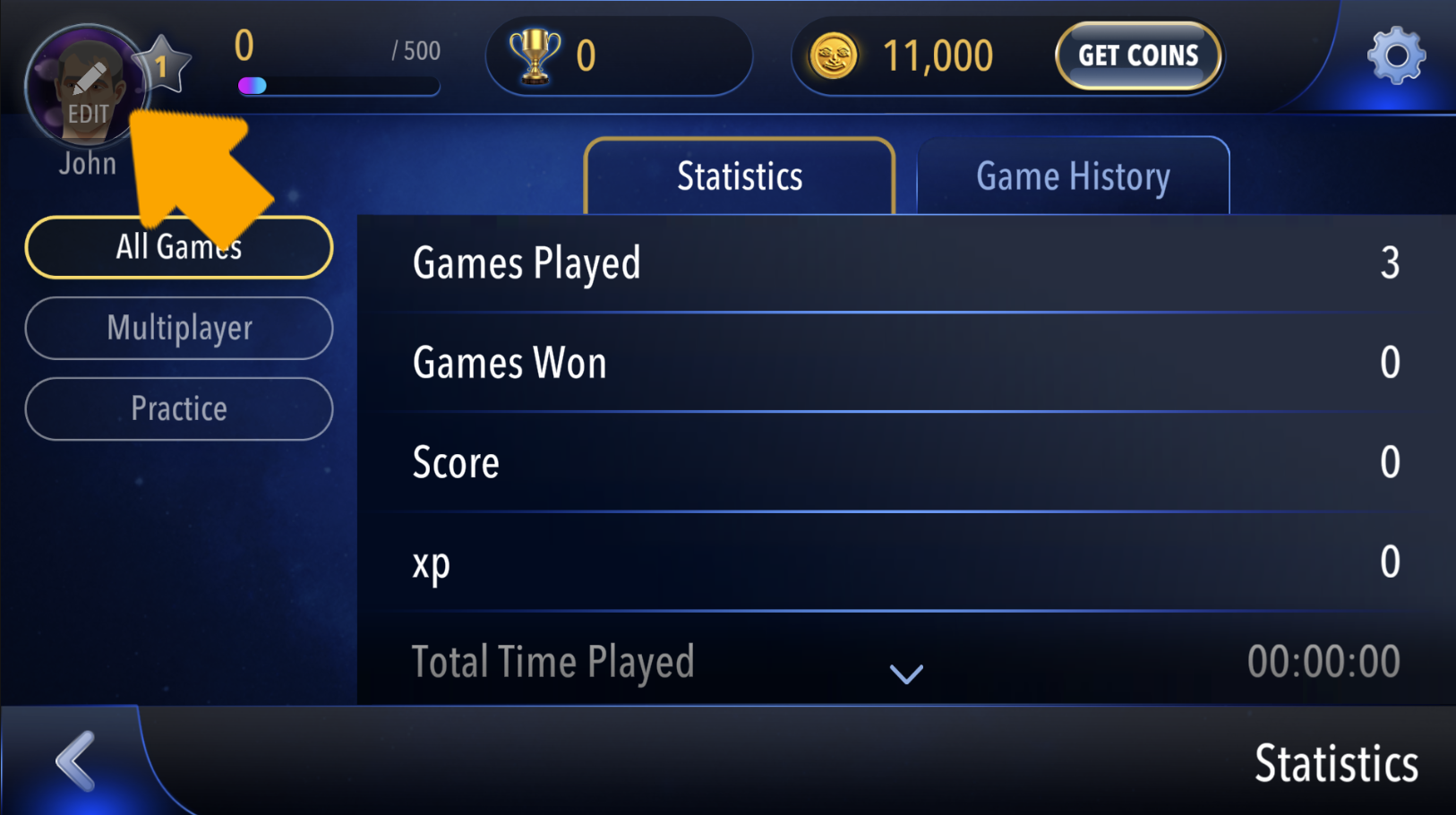
In the Avatar screen, press the Edit button on the player’s image again
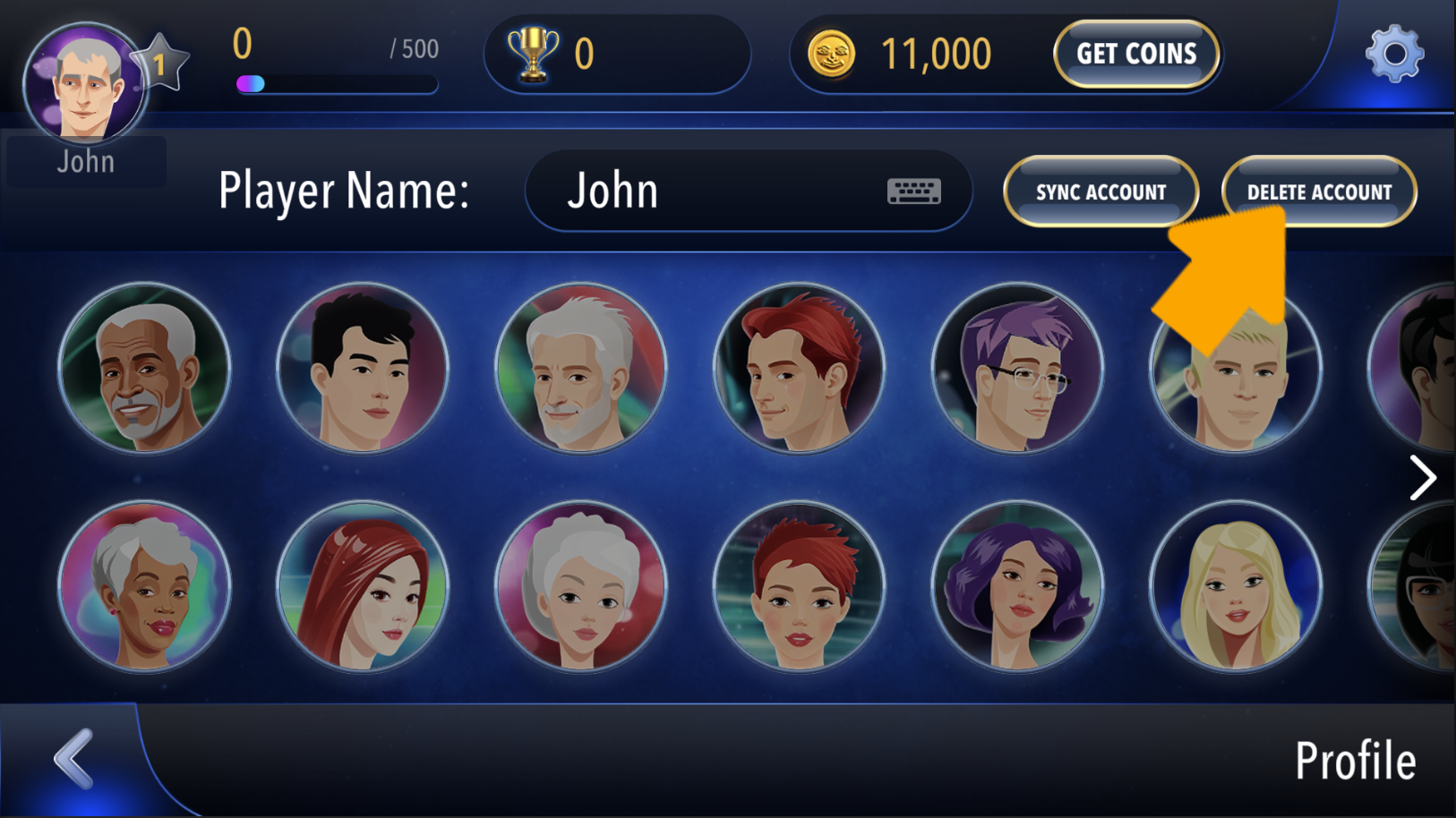
Now press the DELETE ACCOUNT button
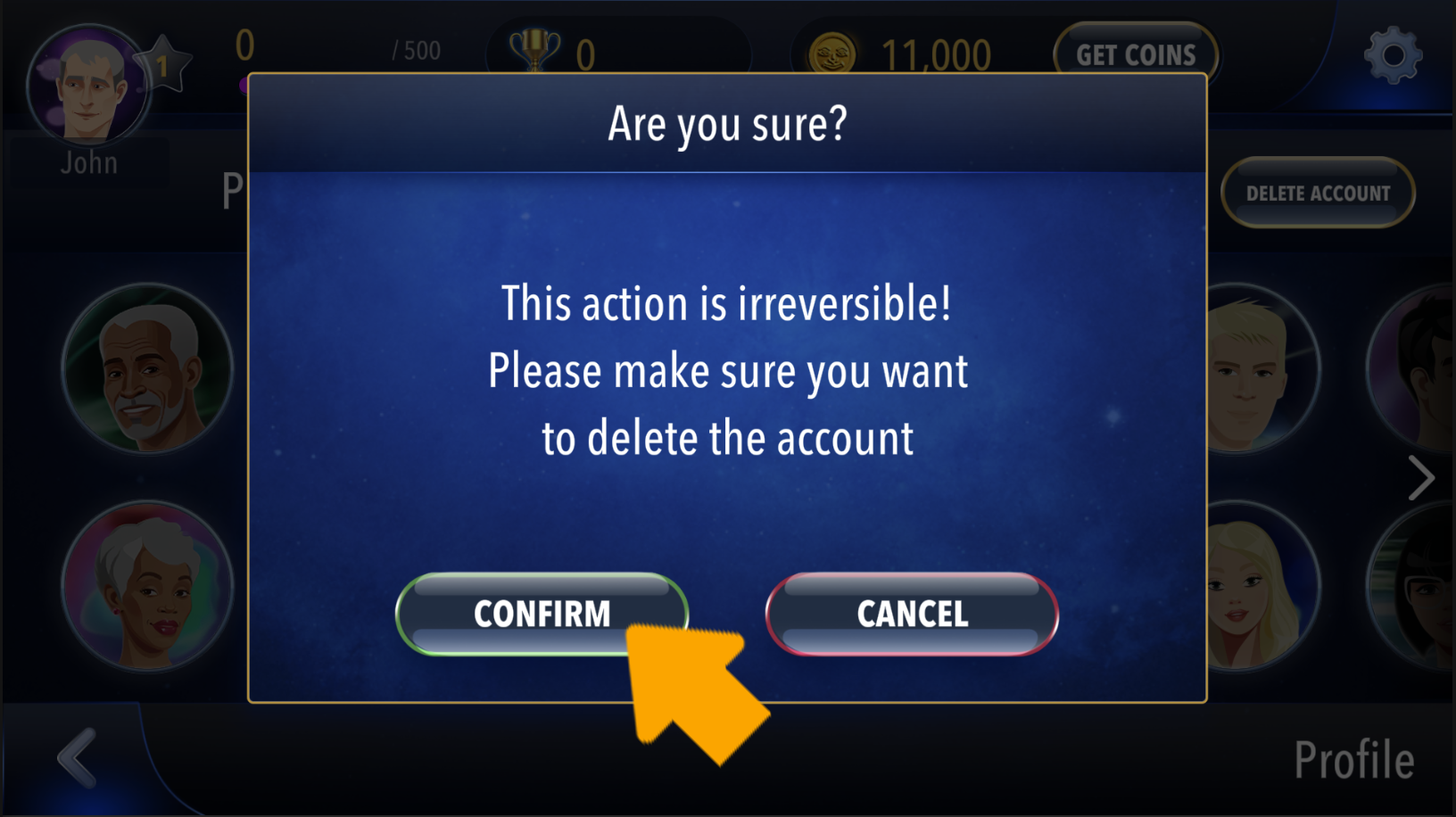
In the popup that opens, read the instructions and scroll all the way down. Then press the CONFIRM button to delete your account
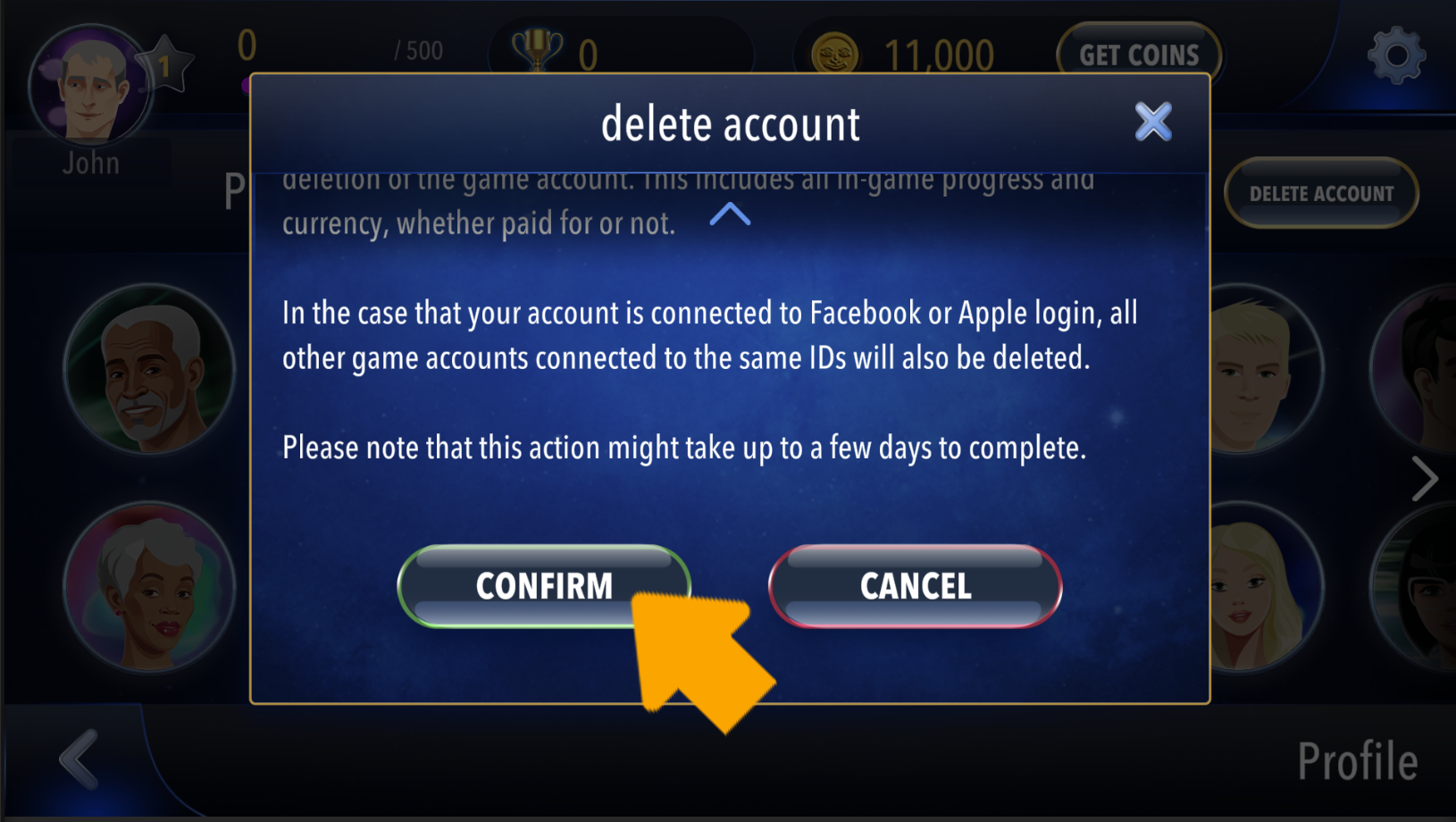
Once again you must confirm that you want to delete your account permanently by pressing the CONFIRM button
Other ways to delete your account
You can also delete your account using your linked Google Play Services account using this link: https://kinkajoo-apps.com/misc/DeleteRummikubGoogleAccount/

If you have any other questions, please contact us using the instructions on this link: https://kinkajoo-apps.com/contact