
How to delete your Taki user
After opening the Taki app, press the settings button in the bottom of the screen to enter the Settings screen
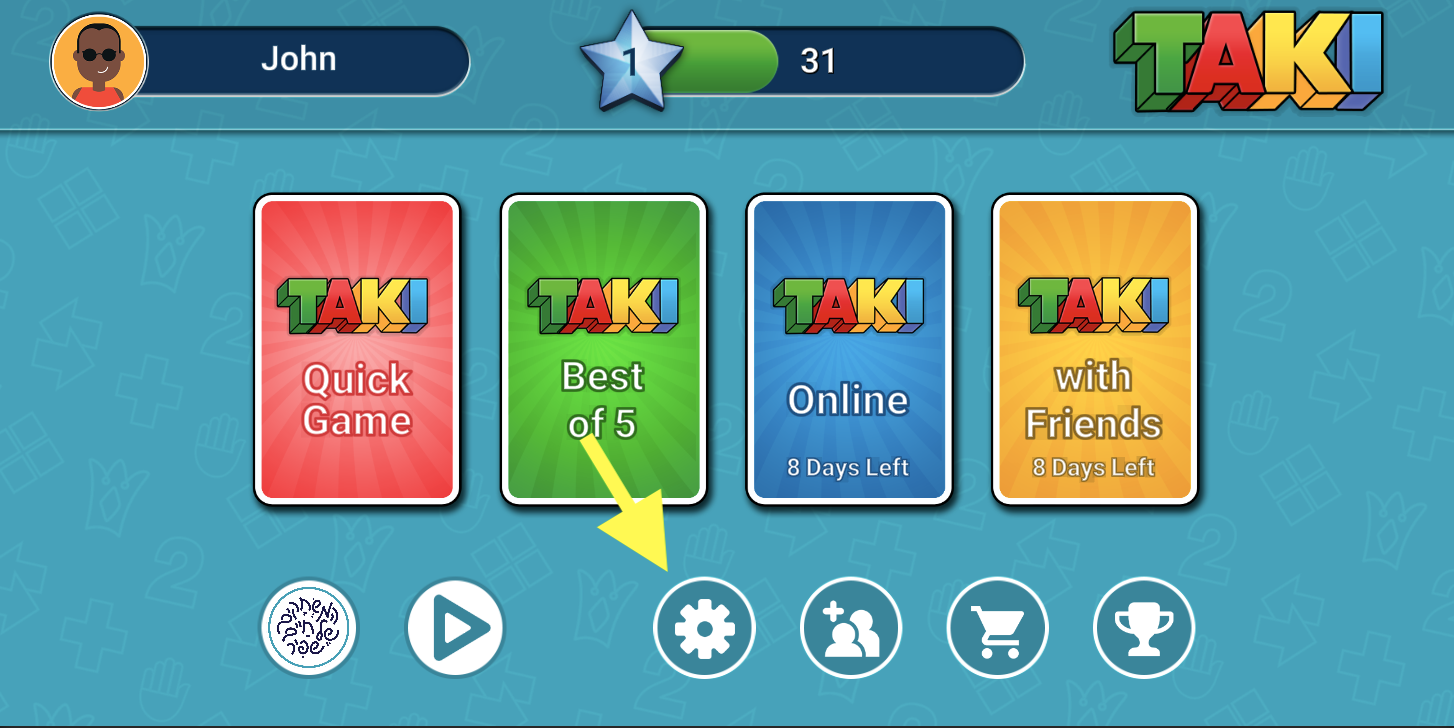
In the Settings screen, press the About button
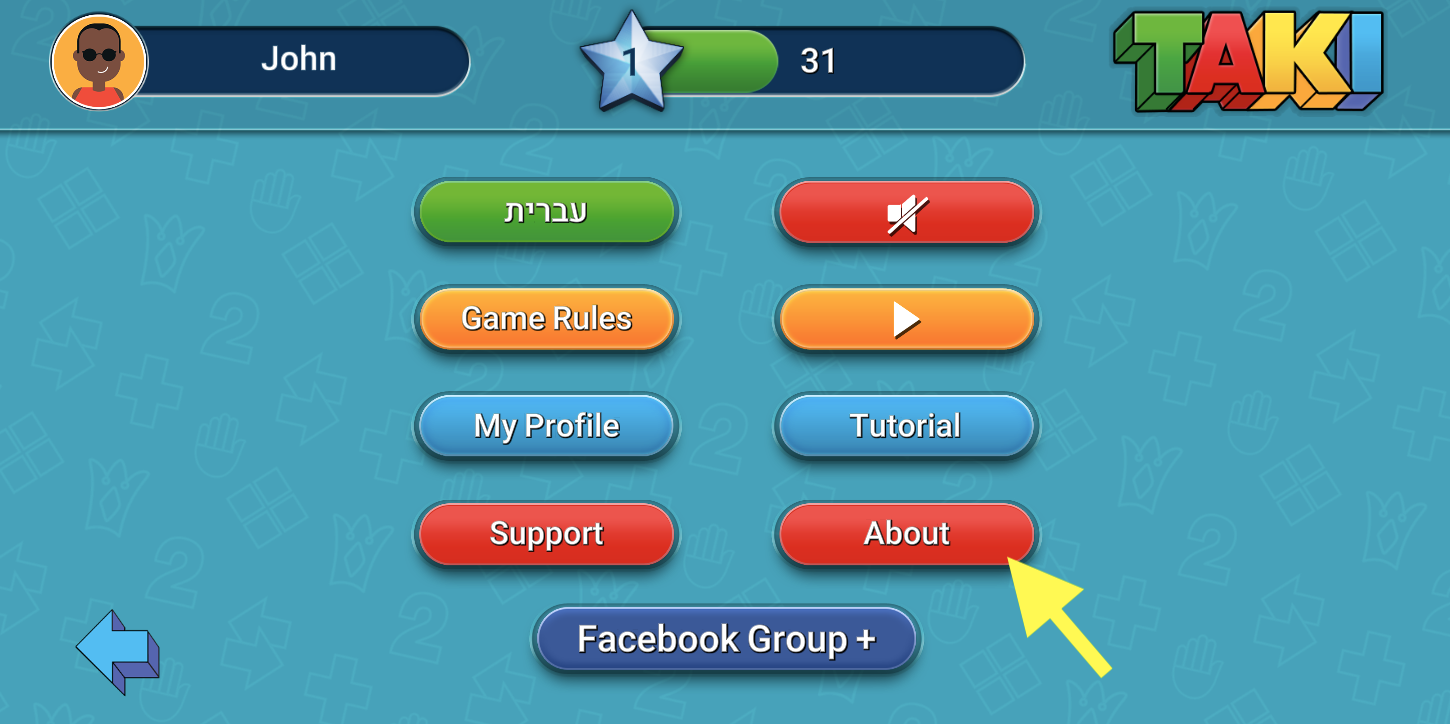
In the About screen, press the Privacy Policy button
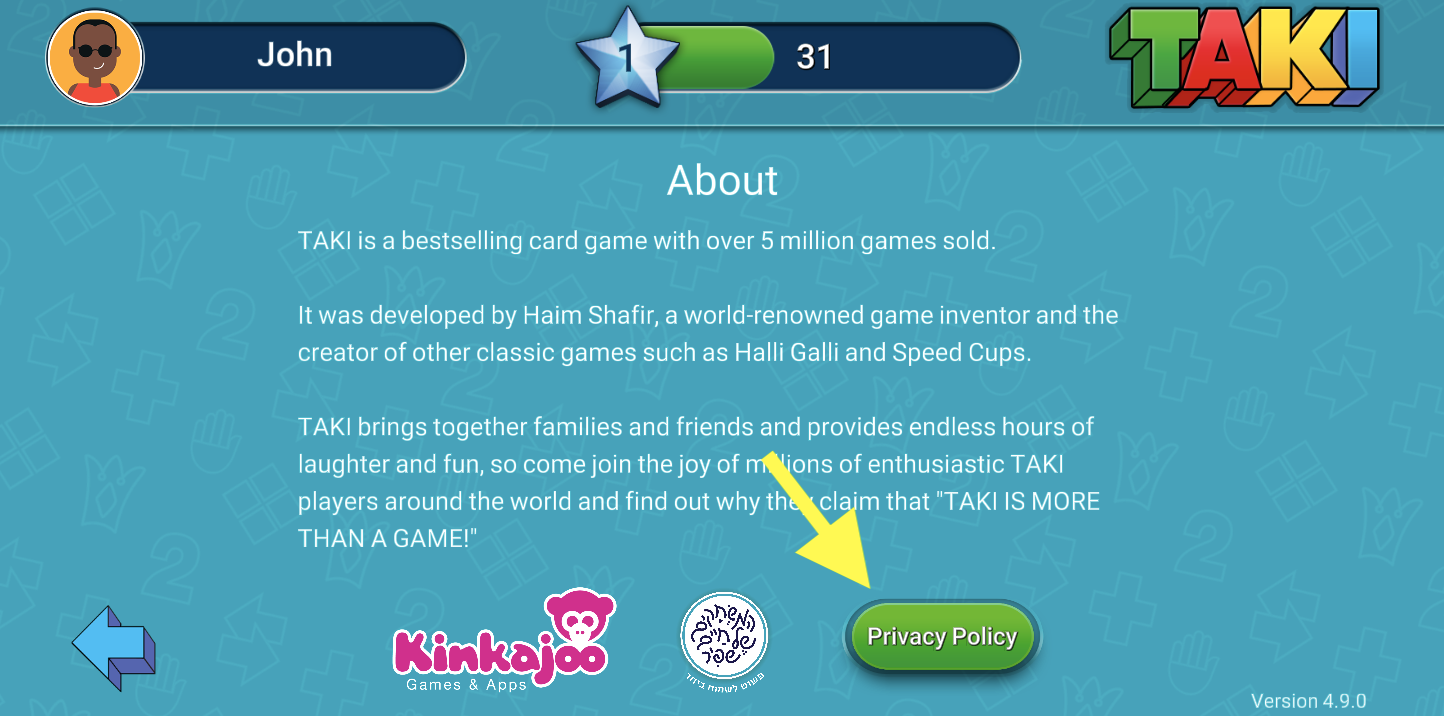
Now press the Delete Account button
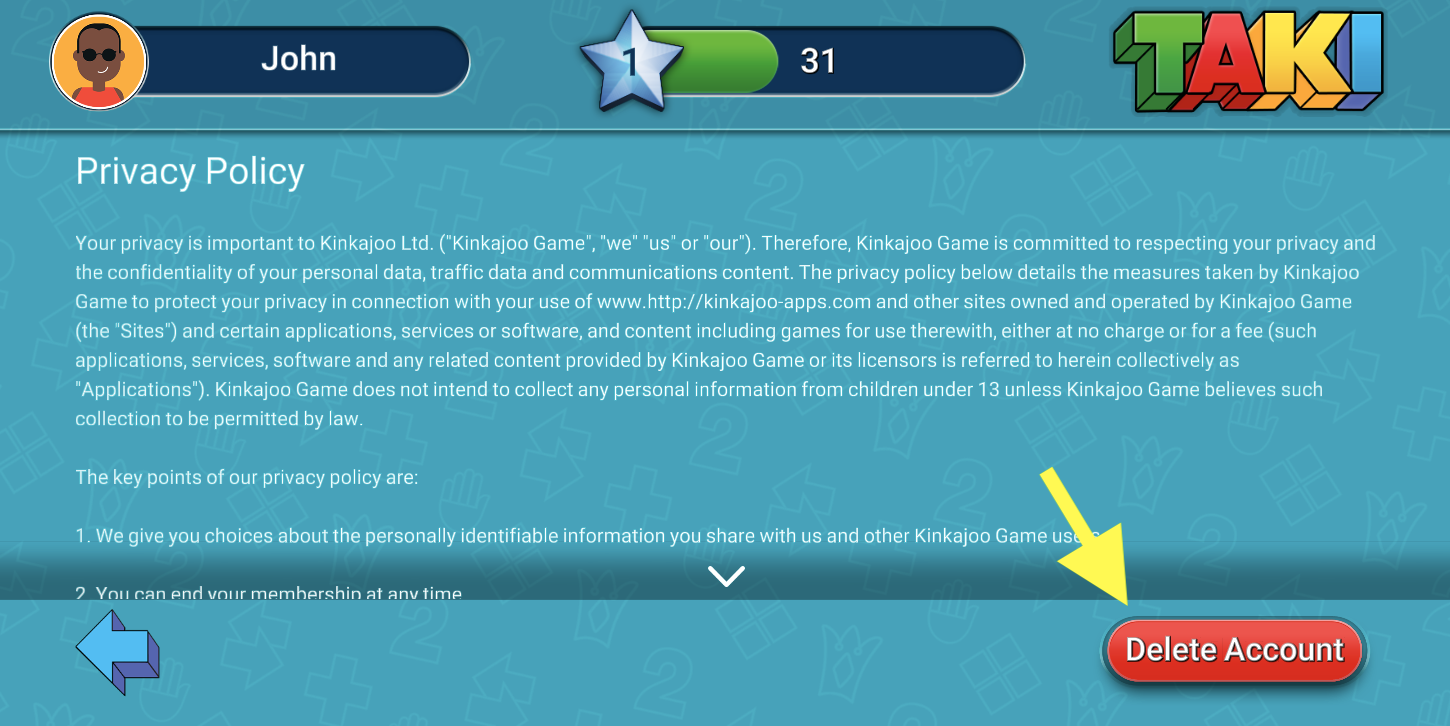
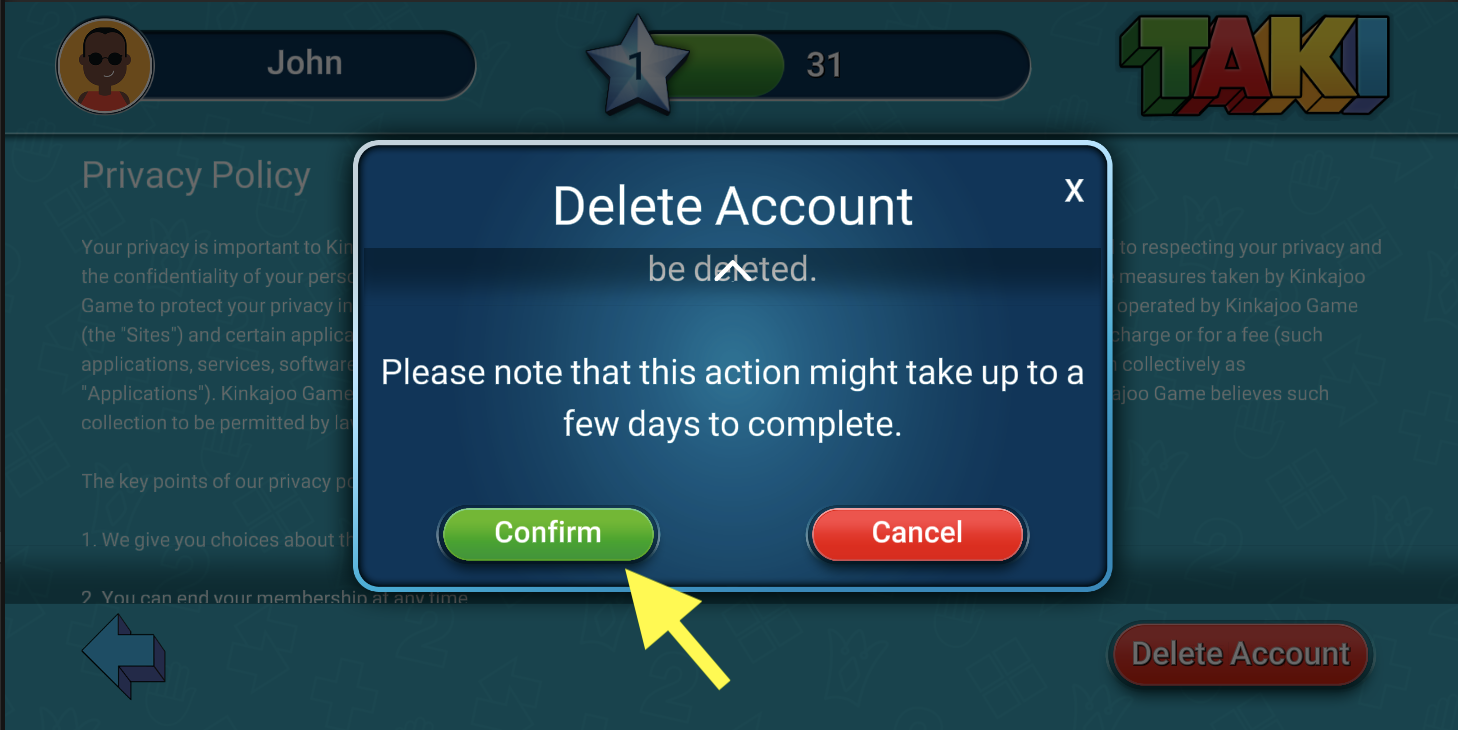
In the popup that opens, read the instructions and scroll all the way down. Then press the CONFIRM button to delete your account
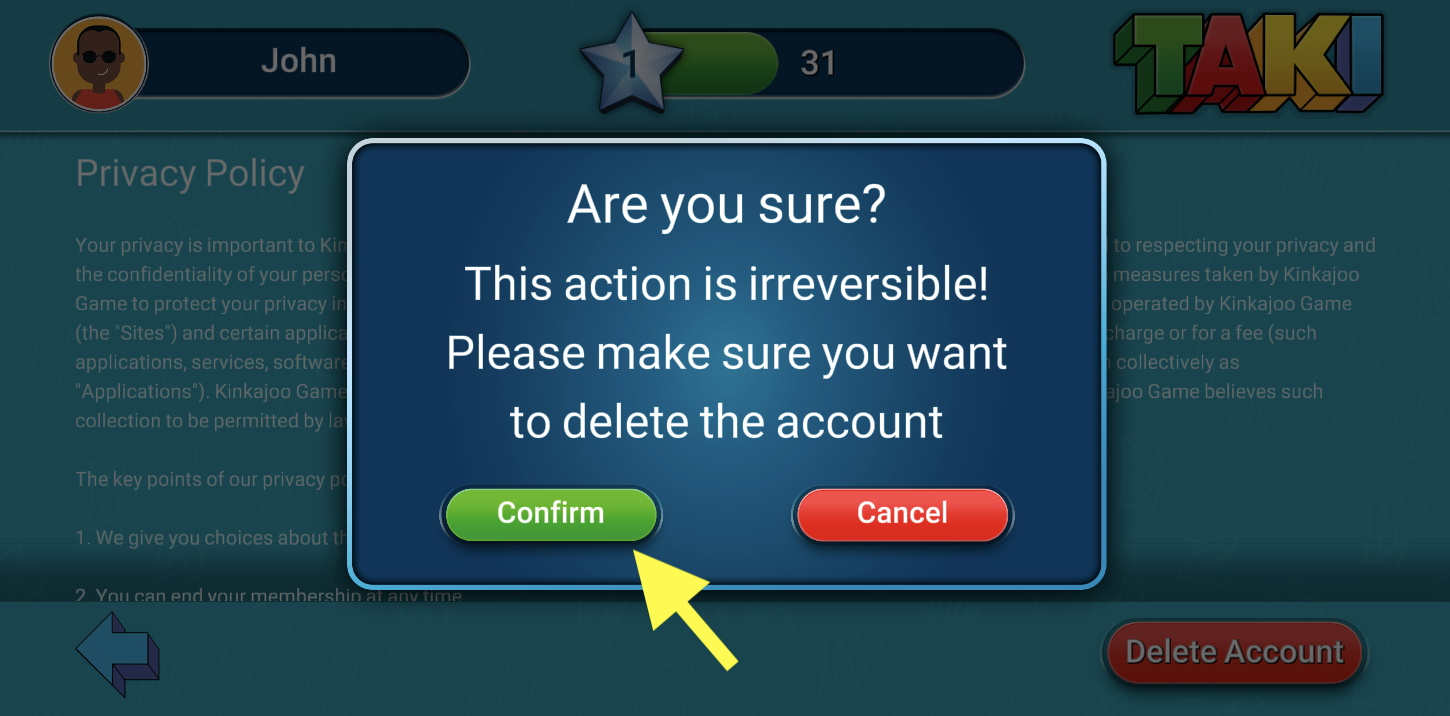
Once again you must confirm that you want to delete your account permanently by pressing the CONFIRM button
Other ways to delete your account
You can also delete your account using your linked Google Play Services account using this link: https://kinkajoo-apps.com/misc/DeleteTakiGoogleAccount/

If you have any other questions, please contact us using the instructions on this link: https://kinkajoo-apps.com/contact